SHV with Bizum in detail
Bizum is one more payment method within SHV in payments: the same source_holder_verification body is used inside extra_data (described in Policy and results), in payin via push (POST /payment/push) and via redirection, and in payout (POST /payment/payout, with "apm": "BIZUM").
This page explains what differs from cards and bank accounts: there is no source to query, the payment method is identified by the user's phone number, and the holder's data is obtained from the user's bank, with their permission. There is no Bizum verification outside a payment.
| I want to know... | Go to |
|---|---|
| What the consent is and who manages it | The consent |
| What I must send | What you need to send |
| What happens the first time and afterwards | How it works |
| What it looks like with redirection or Checkout | Redirection and Checkout |
| What each status and scenario means | Order statuses · Scenarios |
The consent
To check who the holder of a Bizum phone number is, the user must give their consent to share their name (and their identity document) with the merchant. They do it from their banking app, through BizumID (Bizum's identity service, operated by Redsys).
- You do not have to store or manage it. Paylands stores and reuses it. It is not returned in any response or notification.
- It is per phone number and merchant. It does not depend on the order: the next time the same phone number is verified in your account, it is already given.
- While it remains valid, later verifications of the same phone number are immediate and the user does not have to do anything.
- If the user revokes it or it stops being valid, Paylands requests it again and the verification becomes asynchronous.
What you need to send
- A REDSYS service with Bizum enabled.
- The user's phone number in
extra_data.profile.phone(prefixandnumber). Without a phone number the verification cannot be performed: the result isNOT_SUPPORTEDandallow_unavailableapplies. With SHV, both the verification and the charge use this phone number. - The holder's name (
first_nameand, optionally,last_name), always required, whatever the method. It is sent insource_holder_verificationor inextra_data.profile. - The identity document, only required with
IDENTIFICATION_NUMBER. It is sent insource_holder_verification.identification_numberor inextra_data.profile.document_identification_number.
{
  "signature": "341f7de8e6fc49da8d8736473af6b03a",
  "amount": 50,
  "operative": "AUTHORIZATION",
  "secure": true,
  "customer_ext_id": "test",
  "service": "E8952860-5441-45A2-9233-33651DABA250",
  "description": "Order 1234",
  "url_post": "https://your-server.example/notifications",
  "url_ok": "https://your-site.example/ok",
  "url_ko": "https://your-site.example/ko",
  "extra_data": {
    "profile": {
      "first_name": "Luis",
      "last_name": "Pérez López",
      "document_identification_number": "12345678Z",
      "phone": { "prefix": "34", "number": "700000000" }
    },
    "source_holder_verification": {
      "enabled": true,
      "verification_method": "IDENTIFICATION_NUMBER",
      "accepted_verification_results": ["MATCH", "PARTIAL_MATCH"],
      "allow_unavailable": false,
      "allow_error": false
    }
  }
}
The payment is then started as usual, according to the chosen flow: push, redirection or payout.
How it works
There are two cases, depending on whether the user has already given their consent.
First time: asynchronous verification

- You create the order with SHV and start the payment (push, redirection or payout).
- Paylands requests the consent and the user receives a request in their banking app.
- Your call responds immediately with HTTP 200, with the order in
PENDING_HOLDER_VERIFICATIONstatus and the verification inPENDING. It is not an error: the operation is paused and nothing has been charged yet. - When the user accepts, Bizum notifies the result to Paylands, which applies your policy:
- Accepted: the payment flow continues as usual and the order moves to the corresponding status (for example,
PENDING_PROCESSOR_RESPONSEin a push payment). The user then receives the payment request in their app. That is, the first time they approve two requests: the consent and the payment. - Rejected: the order ends in
REFUSED, no charge request is sent and you are notified aturl_post.
- Accepted: the payment flow continues as usual and the order moves to the corresponding status (for example,
The response to the call is the only communication of this status: while the order is in PENDING_HOLDER_VERIFICATION no notification is sent to url_post, which arrives when the payment is resolved. You can check the status with GET /order/{uuid}. In push payments, do not repeat the call while the order is pending: it is rejected with an error (HTTP 410).
Response to the call while the verification is pending (only the relevant fields are shown):
{
  "message": "OK",
  "code": 200,
  "order": {
    "uuid": "C1056CCD-710F-4D63-8B14-F8CE855EBCE0",
    "status": "PENDING_HOLDER_VERIFICATION",
    "paid": false,
    "transactions": [
      {
        "uuid": "308C23C4-0D9A-4D77-9215-78F8E049AA55",
        "source_holder_verification": {
          "uuid": "ED17EDE3-51A7-47A9-BD13-50448587278C",
          "status": "PENDING",
          "match_result": null,
          "error": null,
          "policy_action": "PENDING",
          "verification_method": "NAME",
          "created_at": "2026-11-12 10:15:02"
        }
      }
    ]
  }
}
Following times: synchronous verification

If the user has already given their consent, Paylands uses it and gets the result instantly, without user intervention. There is no intermediate status: the payment flow continues directly, or ends in REFUSED if the policy does not accept the result. In this case the user only approves the payment request.
Redirection and Checkout
With payment via redirection and from the Paylands Checkout, the user sees these steps:
- First time: a waiting screen while they confirm the consent in their banking app.
- Payment: once verified, they receive the usual Bizum payment request in their app.
- When the payment finishes, they return to your
url_okorurl_kodepending on the result.
If the user has already given their consent, the first step is skipped and they only see the payment request.
Example in the Checkout
- 1. Data
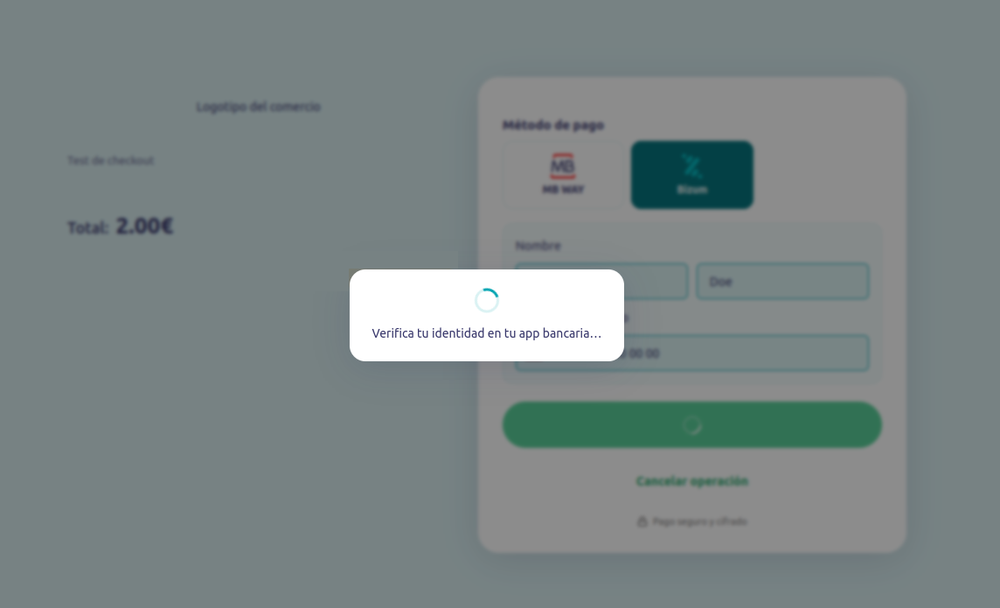
- 2. Verification
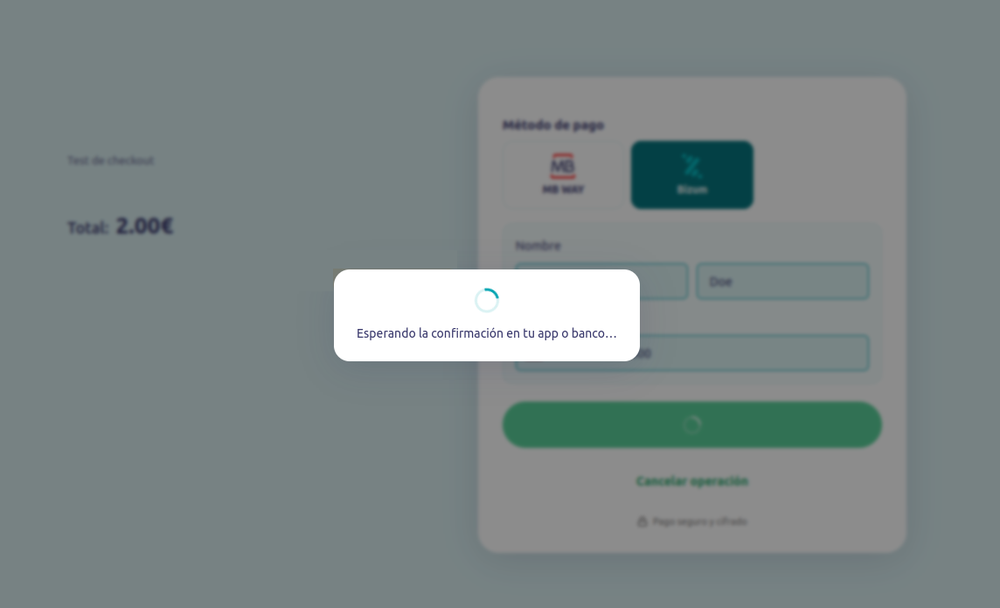
- 3. Payment
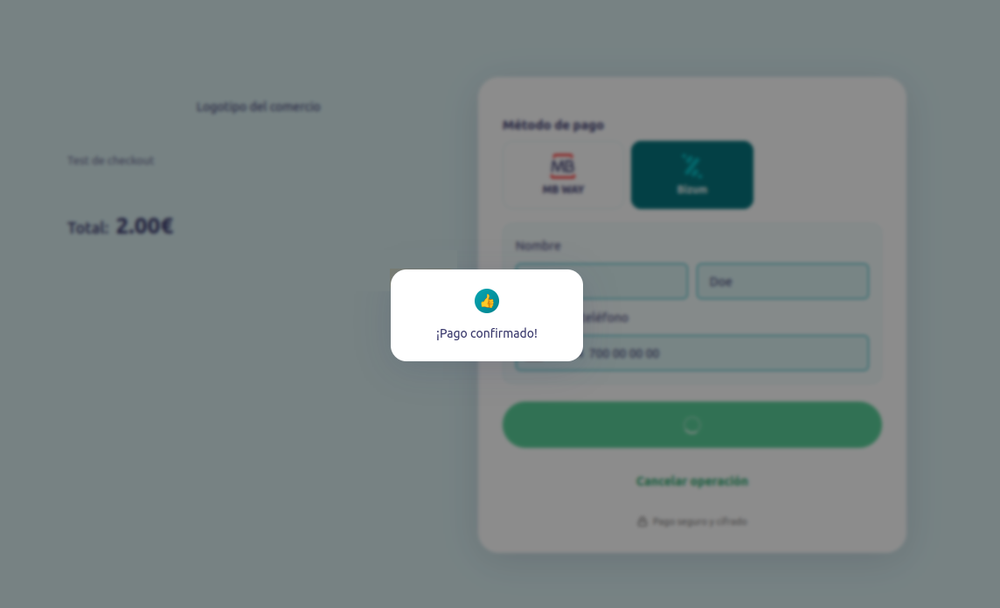
- 4. Confirmation
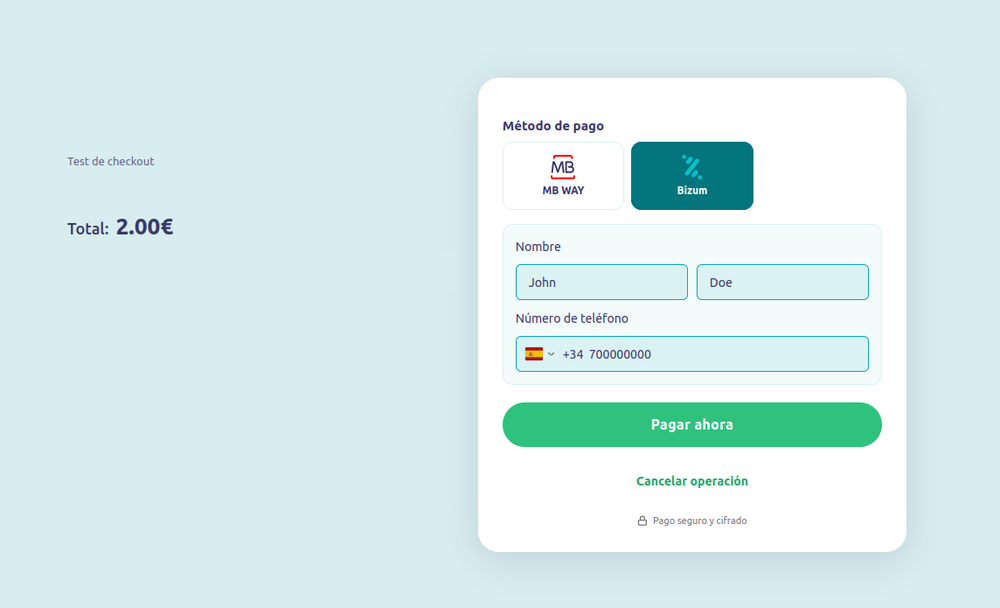
Only the first time: the user confirms the consent in their banking app.
The user approves the Bizum payment request in their app.
The payment has finished and the user is redirected to the merchant.
Order statuses
| Status | Meaning |
|---|---|
PENDING_HOLDER_VERIFICATION | Waiting for the user to confirm the consent in their app. The payment is paused. |
PENDING_PROCESSOR_RESPONSE | Verification passed: the payment request has been sent and the user's response is awaited. |
REFUSED | The policy did not accept the verification and nothing has been charged. |
SUCCESS | The user has approved the payment. |
EXPIRED | The verification waiting time has run out. |
USER_CANCELLED | The user has cancelled from the Checkout. |
Scenarios
With the default policy values (allow_unavailable = true, allow_error = false):
| Situation | Verification status | Result |
|---|---|---|
| First time, the user accepts the consent | PENDING → PERFORMED | Continues if match_result is in accepted_verification_results; otherwise, REFUSED |
| Consent already given | PERFORMED (immediate) | Same as the previous case |
| The user rejects the consent | FAILED | REFUSED (BLOCKED_ERROR). With allow_error: true, it continues |
| Their bank or phone number does not support BizumID | NOT_SUPPORTED | Continues unverified (SKIPPED_UNAVAILABLE). With allow_unavailable: false, REFUSED |
| The order does not include a phone number | NOT_SUPPORTED | Same as the previous case |
| Technical or communication error, or Bizum does not return enough data to compare | ERROR | REFUSED (BLOCKED_ERROR). With allow_error: true, it continues |
Frequently asked questions
Do I have to store the consent? No. Paylands manages it and it is not exposed in the API.
What does the user see? The first time, a consent request and then the payment one. Afterwards, only the payment one.
What happens if their bank does not support BizumID? The verification is NOT_SUPPORTED. If allow_unavailable is true (default) the payment continues unverified; if it is false, it is rejected.
Can I verify a phone number without making a payment? No: with Bizum, SHV is only available within a payment.
Sandbox
The Bizum test data (phone number +34700000000 and NAME method) is in Sandbox.